WooCommerce shipping solution for WordPress
Connect your WordPress WooCommerce webshop to Wuunder and automate your entire shipping process: from checkout with shipping options and Parcelshop Locator, to automated carrier selection, labeling, tracking and returns. Through one integration you get access to 300+ carrier connections and 120,000+ preconfigured services, from letterbox parcels to pallets.
Wuunder is built for WooCommerce merchants who need more than just label printing: B2B and B2C from one platform, international shipping with automated customs documents. Wuunder is B Corp certified (June 2026).

Why WooCommerce merchants choose Wuunder
| Feature | Wuunder |
|---|---|
| Carrier connections | 300+ |
| Parcelshop locator | ✔️ (map with pickup points and lockers) |
| Multi-colli support | ✔️ |
| letters and documents | ✔️ |
| (Letterbox) parcels | ✔️ |
| Pallets & groupage | ✔️ (DSV, TransMission, Ben Becker and more) |
| B2B + B2C in one platform | ✔️ (parcels and pallets) |
| Resell rates (no own contract needed) | ✔️ (PostNL, DHL, DPD) |
| Personal support | ✔️ (dedicated account manager) |
How does WooCommerce shipping work with Wuunder?
Step 1: Connect your WooCommerce webshop
Install the Wuunder Shipping plugin via WordPress and activate the module. Connect to your Wuunder account and decide which carriers, services and rates to offer.
Step 2: Set up shipping rules
Set up shipping rules per destination country: which carriers are available and which pricing rules apply (own rates or Resell). Shipping rules automate carrier selection based on price, speed, weight, destination and service preference.
Step 3: Customer places the order
The order arrives in your WooCommerce backend with the selected carrier and service.
Step 4: Pick & pack in your warehouse
The order arrives in your WMS or the MyWuunder WMS environment with the selected carrier and service. Your warehouse staff picks the items. The label is printed (via One Click Printing or bulk) and attached to the parcel. Multi-colli orders are also supported. Customs documents for non-EU shipments are automatically included. If the carrier supports paperless customs, Wuunder passes all data directly to the carrier.
Step 5: Pickup by the carrier
The carrier is informed automatically when the label is created. Pickup takes place on the next business day, or at your fixed daily collection time.
Step 6: Branded tracking for your customer
We keep the recipient informed via Wuunder Track about the journey of their parcel. If delays occur, we send additional notifications so the recipient stays informed and doesn't need to call or email.
Step 7: Returns via the return portal
Your customer initiates a return via Wuunder Returns: a branded portal on your own domain. QR code or print label, drop-off at a local pickup point, and the option to exchange instead of return. Return status is visible in real-time in MyWuunder or available via the tracking API.
From parcel to pallet in one platform
From the same WooCommerce integration you ship for instance via:
- Letterbox parcels via PostNL or Bpost
- Standard parcels via DHL, DPD, GLS or UPS
- International express via DHL Express, FedEx or UPS
- Cross-border via Spring GDS, Maersk E-Delivery or Colissimo
- Pallets and groupage via DSV, TransMission or Ben Becker
One integration, one dashboard. No separate systems for B2B and B2C.
Parcelshop & locker delivery via WooCommerce
More and more consumers prefer collecting their parcels at a pickup point or parcel locker rather than waiting for home delivery. With the Wuunder Parcelshop Locator you offer all these options in your WooCommerce checkout, without a separate integration per carrier.
How it works:
- The customer enters a delivery address during checkout
- The Parcelshop Locator displays an interactive map with all available pickup points and parcel lockers nearby, including opening hours
- The customer selects a location and the shipment is automatically booked to that address
- Upon delivery, the customer receives a notification via Wuunder Track (optional)
Available carriers with parcelshop/locker service. Including:
- PostNL: parcel points and parcel lockers (NL, BE)
- DHL eCommerce: ServicePoints and Packstations (NL, BE, DE + international)
- DPD: Pickup points (NL, BE, DE, PL + 28 EU countries)
- UPS: Access Points (Europe + worldwide)
- Mondial Relay: Relay points (FR, BE, ES, NL + EU)
- GLS: ParcelShops (NL, BE, DE)
Why offer parcelshops?
- Near 100% delivery success rate: parcels are less likely to get lost during delivery
- Lower shipping costs: carriers typically charge less for parcelshop delivery
- Higher conversion: customers are less likely to abandon checkout with flexible delivery options
- Returns: customers drop off their return at the same point, via Wuunder Returns
These brands deliver a perfect delivery experience with Wuunder


Technical integration
- Installation via WordPress: install and activate the plugin
- Compatible with WordPress 6.4+ and PHP 8.0+ (tested up to WordPress 6.9.7)
- REST API for custom builds: ship, track and returns fully accessible via API
- Webhooks for real-time status updates to your ERP/WMS
- Multi-warehouse support: different shipping rules per warehouse/fulfilment location
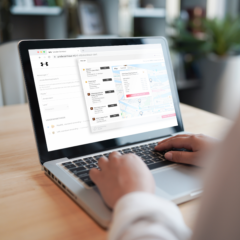
Ready to supercharge your WooCommerce checkout with smarter delivery options?
In 15 minutes, we show you how the Wuunder plugin works within your WooCommerce environment, including Parcelshop Locator, Warehouse solution and branded tracking.
Q: How do I install Wuunder in WooCommerce?
A: Install the Wuunder Shipping plugin via WordPress, activate the module and connect to your Wuunder account. You're live within minutes. Step-by-step guides at our help centre.
Q: Can I show pickup points and parcel lockers in WooCommerce?
A: Yes. The Wuunder Parcelshop Locator displays an interactive map with pickup points and parcel lockers from PostNL, DHL, DPD, Bpost, UPS and more. The customer selects a pickup point during checkout and the shipment is automatically booked to that address.
Q: Do I need my own carrier contract?
A: No. You can ship directly via our Resell partners (PostNL, DHL, DPD) without your own contract. Already have one? Then you use your own rates.
Q: Which WordPress and WooCommerce versions are supported?
A: WordPress 6.4 or higher and PHP 8.0 or higher. Tested up to WordPress 6.9.7. WooCommerce is required as a plugin. More info on the WordPress plugin page.
Q: Can I use pallet and groupage carriers from WooCommerce?
A: Yes. Wuunder connects WooCommerce to pallet carriers like DSV, TransMission and Ben Becker. Wuunder automatically determines if an order ships cheaper as a pallet than multi-colli parcels.
Q: Does Wuunder support international shipping from WooCommerce?
A: Yes. Customs documents (CN23, commercial invoices) are generated automatically. Ship via Spring GDS, Maersk E-Delivery, DHL Express, UPS or FedEx to 200+ countries.
Q: How do returns work?
A: Via Wuunder Returns, you offer a branded returns portal where customers request QR code returns and can exchange instead of return. Return labels are generated automatically for all connected carriers.
Other platform?
Also see our integrations for Shopify Plus, Magento 2, Shopware and Salesforce Commerce Cloud. Or connect directly via our REST API.